
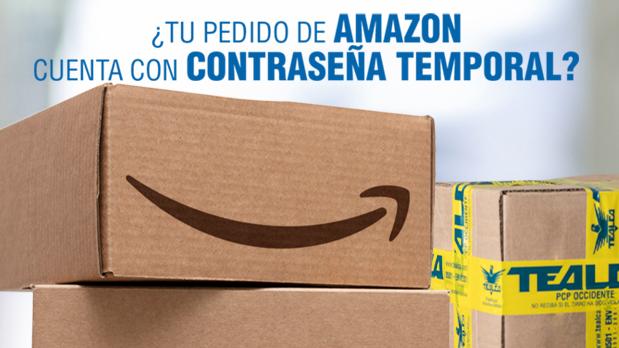
Secure Amazon freight to USA with TEALCA. Learn how to manage your Amazon delivery security code OTP for safe, reliable package delivery today.
To safeguard high-value purchases such as advanced electronics, high-end jewelry, or premium designer goods, Amazon frequently attaches a security layer known as a One-Time Password (OTP) to shipments. This security protocol requires the Amazon delivery driver to physically collect and input a unique, time-sensitive 6-digit code upon arrival at our Miami logistics facility.
Because these security codes automatically expire within a 24-hour window, it is absolutely vital that you retrieve and forward this password to our warehouse dispatch team immediately. Failing to do so will cause the driver to mark your package as an unsuccessful delivery attempt and return it to the local fulfillment hub.
Step-by-Step Instructions: How to Send Your Amazon OTP to TEALCA USA
If your tracking status indicates that your upcoming Amazon shipment requires a secure delivery password at our warehouse loading dock, please execute these exact steps immediately:
Draft a Fresh Email
Do not reply to automated newsletters or previous customer service threads. Open a completely blank email message addressed directly to: [email protected]
Use the Mandatory Subject Line Format
Our intake system uses automated keyword routing to instantly forward these emails to our dock managers before the codes expire. You must structure your subject line exactly like this:
Subject: Amazon OTP + [Your Personal Locker Code] (Example: Amazon OTP TE-12345)
Provide the Code Details in the Body
In the main text area of your email, clearly state:
- The 6-digit security code provided by Amazon.
- The specific Tracking Number associated with that package.
What Happens After You Submit the Code?
The moment your email hits our system, our specialized reception desk at the Miami warehouse links your secure password directly to your physical customer profile and tracking queue.
When the Amazon delivery vehicle pulls up to our loading docks, our cargo handlers instantly validate the 6-digit code with the driver. This satisfies Amazon's secure delivery requirements, allowing your package to be safely checked into our system under our standard Reception workflow.
Frequently Asked Questions (FAQ)
Why does my Amazon package require a One-Time Password?
Amazon automatically flags packages for OTP protection based on the monetary value of the items, specialized product categories (like smartphones or processors), or local destination delivery metrics. This process eliminates cargo theft and confirms the merchandise is handed over directly to authorized personnel.
What happens if my security code expires before delivery?
If the delivery truck encounters traffic delays and misses the 24-hour window, Amazon will automatically generate a fresh code the next morning when the package goes back "Out for Delivery." You will need to check your Amazon account dashboard or your registered email inbox, copy the updated code, and immediately send it to us following the exact same email steps outlined above.
Can I turn off the One-Time Password feature in my Amazon settings?
No. For high-ticket items, Amazon enforces this customer safety policy strictly and does not allow users to disable the OTP manual check. Sharing the code directly with our secure support desk is the fastest, safest way to guarantee your high-value cargo enters your international locker without friction.
Are you tracking a high-value tech shipment or an expensive order on Amazon? Stay ahead of the carrier truck, monitor your inbox for delivery codes, and pre-alert your packages inside the TEALCA USA Customer Portal to ensure your goods reach Venezuela securely.